
Here’s how everyone’s making the AI caricature trend on ChatGPT
Scrolling through social media lately, you may have noticed friends and acquaintances suddenly turning into cartoonish, larger-than-life versions of themselves.
This is all thanks to the new AI caricature craze that's been sweeping the internet for the last few days.
Through the use of the generative AI chatbot ChatGPT, social media users are transforming themselves into quirky and exaggerated versions of themselves while being surrounded by things that represent their personality, hobbies, and even their job.
If you're wondering how you can make your own cartoon version of yourself, PhilSTAR L!fe tested ChatGPT's creation tool on three of its staff members. Read on to see the simple steps we took and tips to get the best results.
How to make your caricature
First things first, you will need to have an account on ChatGPT and hop on its website or the app. It won't work unless you are logged in, as the chatbot requires users to have an account to access the image tools and generate pictures.

After you're met with the “Ask anything” box, you need to click the "Attach" button and choose a picture of yourself. It's recommended that you upload a close-up image with clear details of your face.
You might have noticed from the stories your Instagram and Facebook friends have posted that the trend uses a certain prompt to get ChatGPT to fulfill your request.
What you need to do next, after uploading your picture, is to type in the instruction: "Create a caricature of me and my job based on everything you know about me."
Once that's done, all you need to do is click send and wait for ChatGPT to do its magic.
How to get the best results
Keep in mind that since you're using an AI tool, you may not exactly get the best results. The trend will work best if you've been using ChatGPT a lot and have been sharing some facts about yourself in your previous chats, as the platform keeps detailed records of your interactions, including all prompts, questions, and uploaded files.
As I have used ChatGPT before to assist me with some tasks as a content producer, it appeared to be familiar with what I do. Its first caricature creation of me had the right idea, but was slightly off the mark. It featured me working on a laptop with all sorts of tech symbols around me.
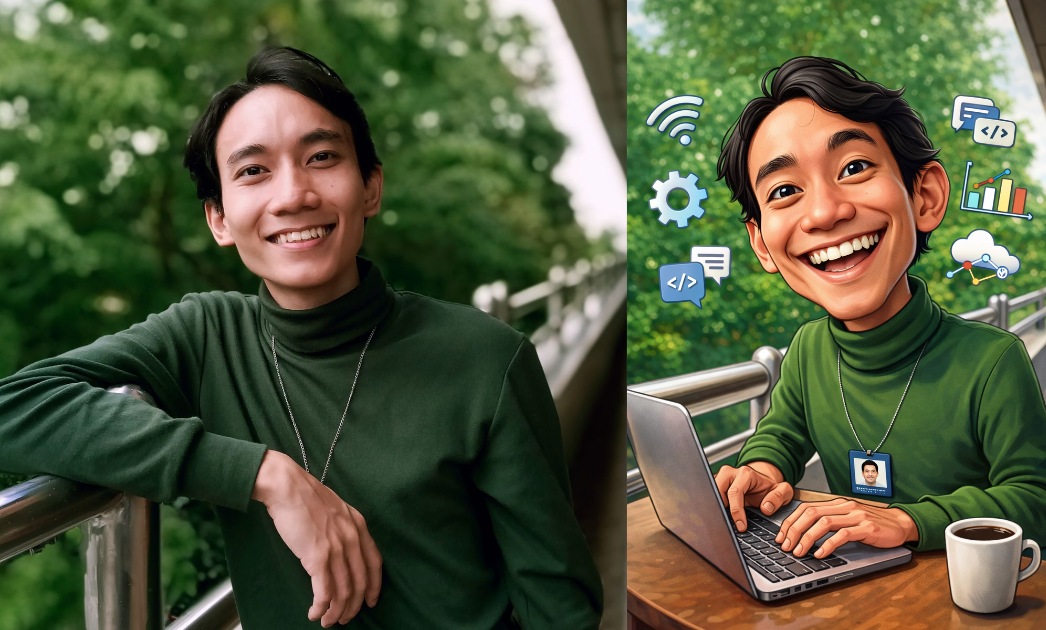
This was not a totally inaccurate generation, as I indeed spend most of my time in front of a laptop, but for writing articles and not because I work in technical support, as the picture may have suggested.
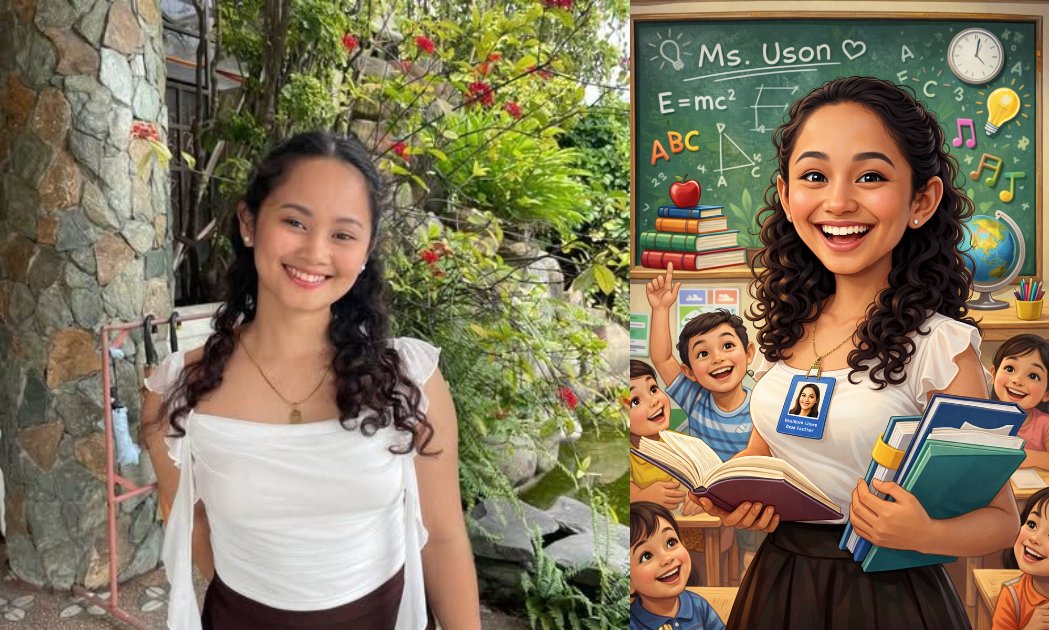
Next, I tried to make a caricature of my fellow content producer, Melanie Uson. My prompt was this: "Create a caricature of Melanie Uson and her job based on everything you know about her."
Since the chatbot had no information about her whatsoever, the results were disastrously off-track, depicting her as a teacher.
Applying the same prompt I used on Uson, I then tried to make a caricature of our associate editor Ayie Licsi. Hers turned out to be the most accurate, with the AI creation tool depicting her as a journalist.
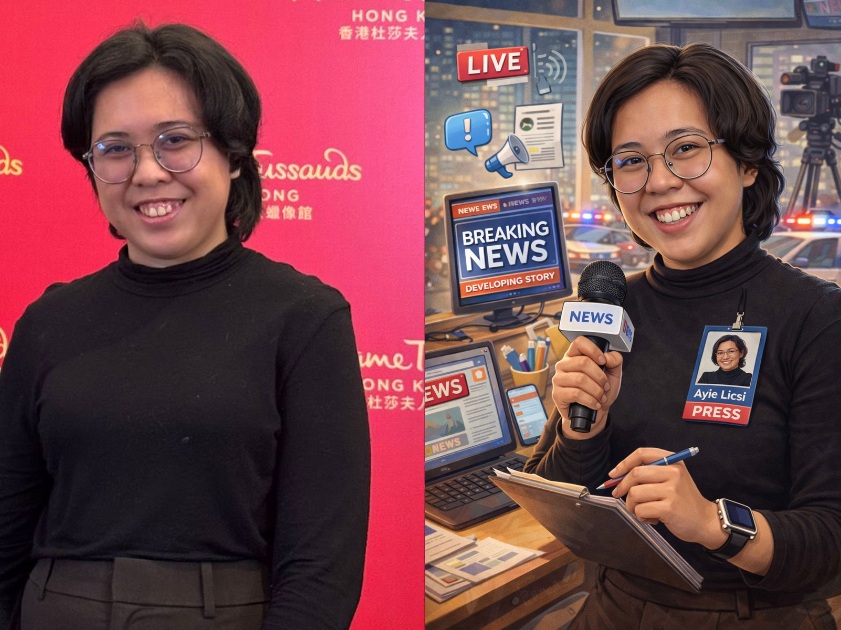
ChatGPT's accuracy on her caricature may be due to how there's some information online about how Licsi is an editor, which is where the AI tool probably got the idea.
If you're not satisfied with the results of your caricature, you may opt to just take a shortcut with the trend and specify what you want the AI to include in the picture.
For instance, I went and had ChatGPT remake my caricature, but this time, I specified that I worked as a content producer and added how I liked watching anime and horror movies. The result is more detailed and accurate than before.
Just ignore how the caricature has three arms (generative AI tends to do that).
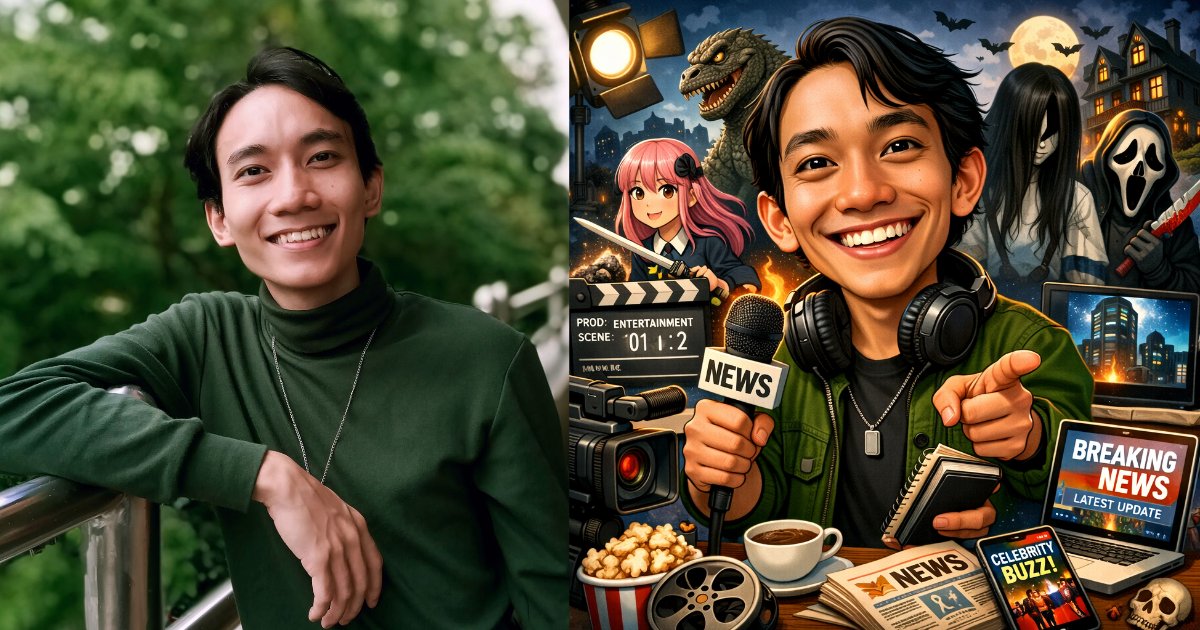
Remember: The more descriptive you are, the better!