

Adulting 101: Here's how to apply for SSS online
After getting that diploma, fresh graduates are now busy completing the requirements for employment. These include mandatory government IDs and documents, such as their Social Security System number.
SSS serves as the government-run pension fund for private sector workers. It is a public agency that extends benefits and financial support to Filipino citizens, including self-employed individuals, non-working spouses, and Overseas Filipino Workers.
It has two types of membership: compulsory, which applies to private sector employees, household workers, self-employed individuals, and OFWs who are below 60 years old; and voluntary, which is offered to former employees, self-employed individuals with no current income, non-working spouses, and OFWs who have completed their contracts abroad.
Voluntary members who are aged 60 with at least 120 contributions may continue paying as a voluntary member until age 65 in order to qualify for full benefits. Those aged 65 with fewer than 120 contributions may keep paying as a voluntary member until completing the required 120 contributions to become eligible for a retirement pension.
Since July 15, 2020, the SSS has required online registration for prospective members to ensure faster, safer, and more convenient SS number application and issuance. This also aligns with Republic Act No. 11032, or the Ease of Doing Business and Efficient Government Service Delivery Act of 2018.
To get an SS number, visit the SSS official website and click the "Apply for an SS number online" option on the homepage.
CONTINUE READING BELOW

Be sure to read the instructions and before “Start.” Fill out all required fields in the Registrant Record Verification, then tick the security boxes confirming “I’m not a robot” and that your information is true and correct. In the security section, you will be asked to turn on your camera and imitate the hand gesture shown, so be sure to have your equipment ready. Afterwards, click “Submit.”
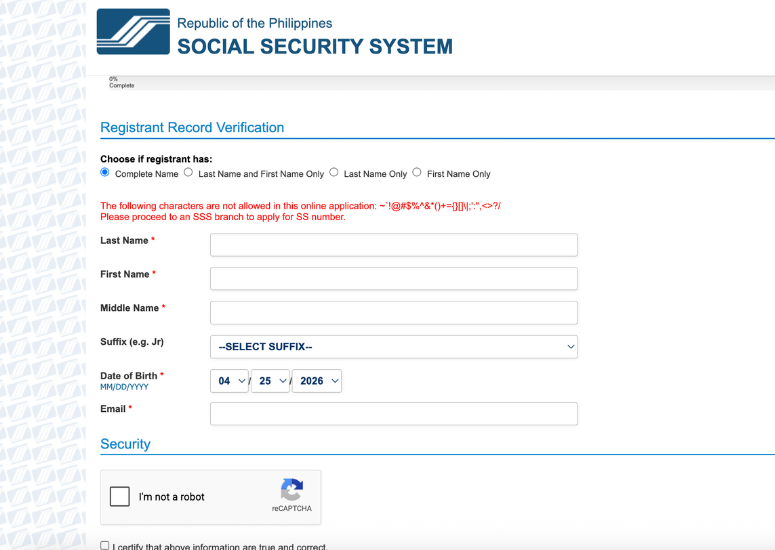
Next, check your email for the verification link and click it to proceed with your application. The link is valid for five calendar days, so a new application is needed if it expires. Didn’t get the email? Check if it's in your spam or junk folder.
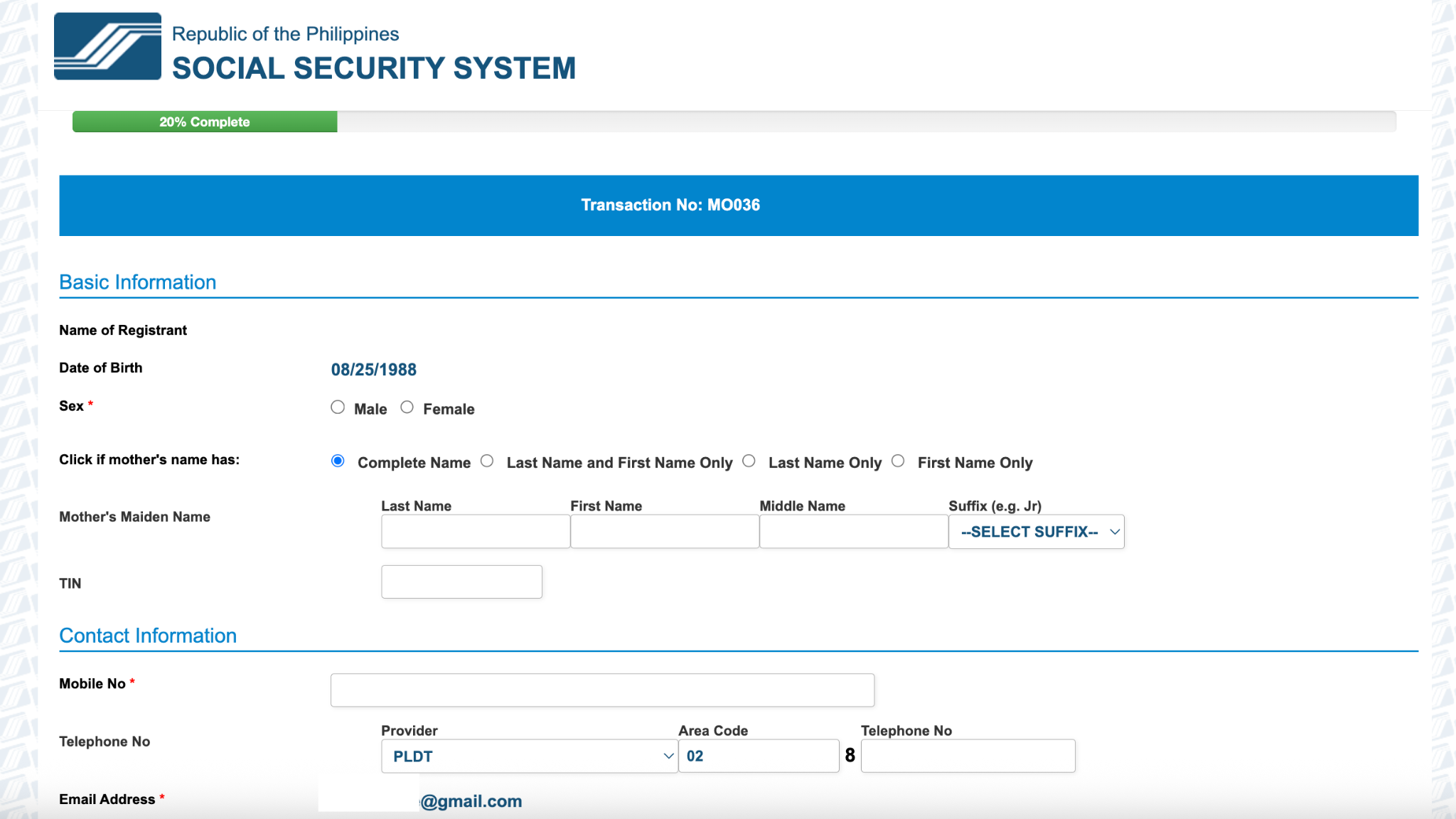
Continue by filling out your basic and contact information, home address, and purpose of registration, then click Save, OK, and Next. Provide your social status and place of birth details, again saving and proceeding as required. If applicable, enter beneficiary information such as parents, spouse, children, or other dependents.
Set your preferred My.SSS User ID and enter your height and weight under the personal record section, then save and proceed. Review all encoded details carefully before clicking “Generate SS Number” and confirming that all information is correct.
Once generated, any necessary corrections must be processed at an SSS branch.
You may then upload supporting documents for verification in JPEG or PDF format (up to 3MB). After submission, you will receive an email confirmation containing your SS Number, transaction slip, and E-1/E-6 form, which can also be downloaded or printed.
Per the SSS, you may proceed without submitting any documentary requirements. A notification bar will appear, and simply click "proceed."
Lastly, check your email for the My.SSS registration activation link to set your password. The link is valid for 30 days; if it expires, you must register again using the transaction number from your E-1 form.
SSS members are entitled to various benefits, including sickness, maternity, disability, retirement, death, funeral, and unemployment, as well as loan programs like calamity, salary, and pension loans.

WATCH: Can you still trust someone who betrayed you? (Generations Ep. 22)
September 23, 2026